Recently, I have been using models created in Revit LT and imported into Twinmotion to produce artwork for my music releases. In this article, I will document the basic workflow I have been using.
Creating a Virtual Cabin in Revit
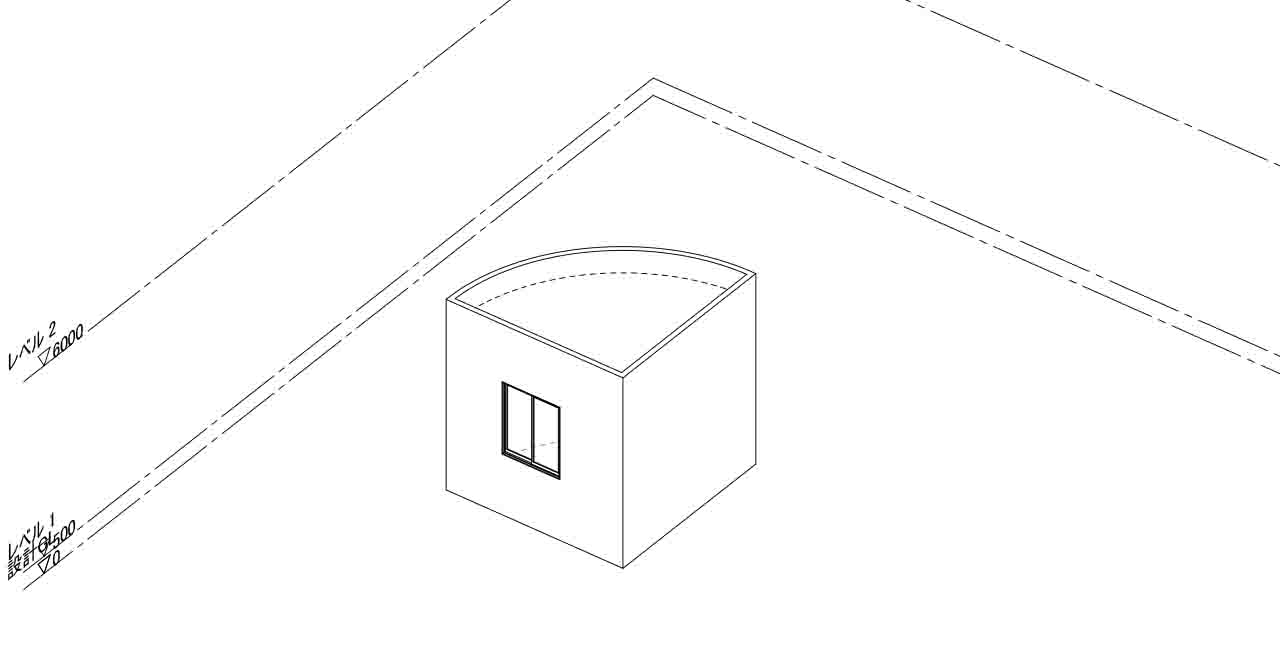
First, I create a simple virtual cabin in a Revit project.
The cabin is large enough to allow a camera to be positioned inside the space in Twinmotion. I also add windows so that exterior light can enter the interior.
Because the model is intended to be used as part of an artwork rather than as a detailed architectural model, I keep its overall structure relatively simple.
Importing the Model into Twinmotion
I export the model from Revit in FBX format and import it into Twinmotion.
When importing the model, I set Unit conversion to Auto.
After the import, I also check the overall dimensions and scale of the model to make sure that they match what I intended in Revit.
Characteristics of the Artwork
These days, album and track artwork is often displayed at a relatively small size, especially on devices such as the iPhone.
At that scale, fine details can be difficult to recognize. For this reason, I intentionally simplify the geometry and overall composition of the model.
Rather than adding a large amount of detail, I focus on shapes, lighting, and the overall impression of the space so that the artwork remains visually recognizable even when displayed at a small size.
Navigation
この記事は「知野好男|CAD・BIM Works」の技術記事です。 / This article is part of Yoshio Chino CAD / BIM Works.